integrations-collage 1 (1)

Medical Device QMS API & Integrations

Your quality system, connected to your entire stack

Connect Greenlight Guru to the other systems you run, like ERP, PLM, BI, identity, AI tools, productivity tools, and engineering tools, so quality data moves between them instead of being re-entered by hand.

Get A Demo

Trusted by 1000+ medical device companies

badges

What you can do with Greenlight Guru’s REST API

data

Move data in bulk

Import thousands of documents and records systematically instead of entering them by hand. Days of onboarding work become minutes.

re-keying

Replace manual re-keying

Move data between Greenlight Guru and your other tools on a schedule or trigger, so no one copies records from one system to the next.

connection

Connect your stack

Keep quality data aligned with the ERP, PLM, CRM, and BI tools your team already uses for
up-to-date records across your stack

How the API works

The API is REST, with JSON in and out. Users generate keys in a developer interface and call the endpoints they need. Objects support clear actions:

 
Export: Get data out of Greenlight Guru
Import: Bring data in
Update: Change existing records
Event: Get notified the moment something changes

What you'll need to build it

An API integration has three parts. We provide the first; the other two are yours to plan for:

1 Our endpoint: We expose the API.
2 The other system's API: The tool you're connecting to needs its own API.
3 The connection in between: Your team or a developer builds and maintains the integration that moves data between them.
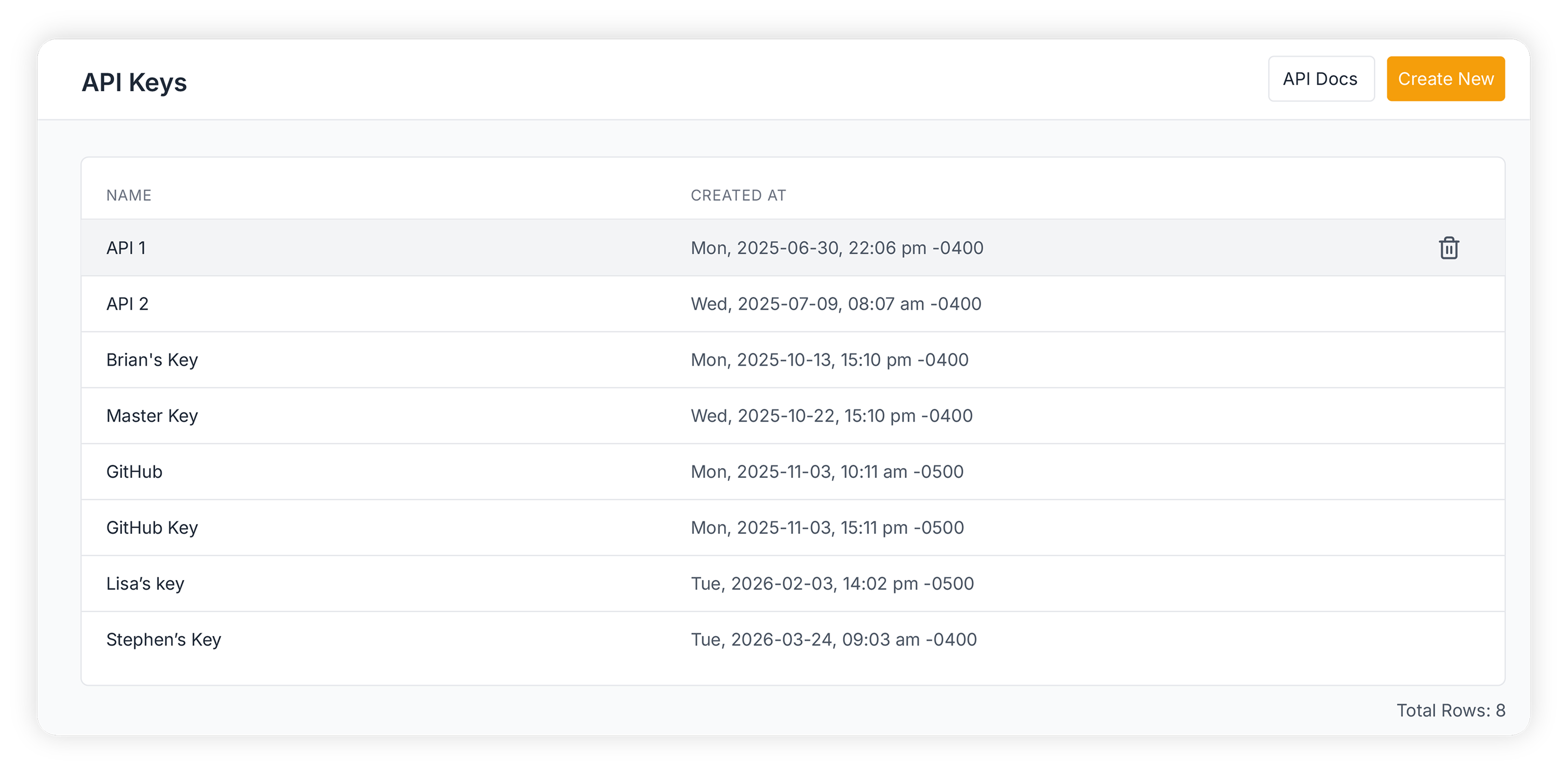
API Keys table example

Greenlight Guru's API keeps data
flowing and your team moving

API

ERP / PLM: Import parts at onboarding. Export parts to check approval and revision status before procurement.

INTEGRATION

Identity (Okta, Entra ID): Export users, roles, and groups to audit access and flag orphaned accounts.

API

BI (Power BI, Tableau): Export quality events and training data to feed dashboards and trend reporting.

INTEGRATION

Engineering (Jira, GitHub): Keep design control and release records traceable to the work in your dev tools.

INTEGRATION

AI chat tools (ChatGPT, Copilot, Claude, Gemini): Ask questions about your eQMS in plain language, without leaving the tools your team already uses.

INTEGRATION

Microsoft Office For Web and Google Drive: Keep working in the tools you already use while Greenlight Guru handles versioning and audit trails.

Integration toggles

Integrations built for your team’s workflows

Connect engineering work to design controls.

Link Jira and GitHub issues directly to design controls so product and quality teams stay aligned without duplicating work.

Bring AI into your quality workflows.

Use the MCP server to connect your approved AI tools to Greenlight Guru so teams can access and work with quality information more efficiently.

Integrate Microsoft Office for Web and Google Drive.

Co-edit files in real time and stay in the tools your team knows, while Greenlight Guru manages versioning, approvals, and the audit trail in the background..

Frequently asked questions

Does Greenlight Guru have an API?

Yes. Greenlight Guru offers a REST API that lets medical device companies move quality data between their eQMS and other systems. It uses standard JSON requests and responses, and you generate your own API keys from the developer interface. The API supports these core actions: exporting data out of Greenlight Guru, importing data in, and updating existing records. Capabilities vary by solution and endpoint. Customers should reference the applicable API documentation or speak with their account team to confirm the objects and actions available for their Greenlight Guru environment.

What data can I access through the API?

The API gives you programmatic access across the core objects in your eQMS, including documents, design controls and DHF records, parts, suppliers, quality events (CAPAs, complaints, nonconformances), training records, and users and roles. If you need access to an object type not listed here, check with your account team as coverage expands over time.

What's the difference between the API and a pre-built integration?

Pre-built integrations, like Jira, GitHub, Google Drive, and Microsoft Office for the web, are configured directly in the product with no code required. The REST API is different: it's the toolkit for connections your team (or a partner) builds and maintains yourselves, for systems that don't have a ready-made integration.

Is data synced in real time or on a schedule?

It depends on the integration. Most pre-built integrations run on a schedule or trigger rather than continuous real-time sync; check the specific integration's documentation for its cadence.

Do I need to validate a Greenlight Guru API integration?

Yes. An integration your team builds using the API is your software, so it falls under your own validation process and risk-based (CSA) approach, the same way any custom-built tool touching your quality system would. Greenlight Guru provides the platform, audit trail, and record integrity underneath; you own validating the connection you build on top of it.

Are API-created and API-updated records captured in the audit trail?

Yes. Records created or modified through the API are captured in Greenlight Guru's audit trail the same as records created or modified in the UI, preserving a complete history of who (or what integration) changed what, and when.

How does Greenlight Guru secure API access and data in transit?

API access is controlled through API keys. For the latest approved security documentation, visit http://trust.greenlight.guru/.

What is Greenlight Guru's MCP server, and what can it do?

MCP (Model Context Protocol) is a standard that lets AI tools connect directly to a system's data — in this case, your eQMS — without custom API code. Greenlight Guru's MCP server plugs approved AI assistants (like ChatGPT, Claude, Copilot, or Gemini) directly into your quality data, so your team can ask questions in plain language — pulling up a CAPA's status, checking a document's approval state, summarizing open nonconformances — instead of navigating the UI or building a custom integration.

See it with your own systems.

Search Results for:
    Load More Results